
How to Register Your Child’s Birth Online Using NADRA Pak ID App
Parents in Pakistan can now register their child's birth with the relevant local authority from home through NADRA's Pak ID mobile application, removing the need to complete the entire process through physical visits.
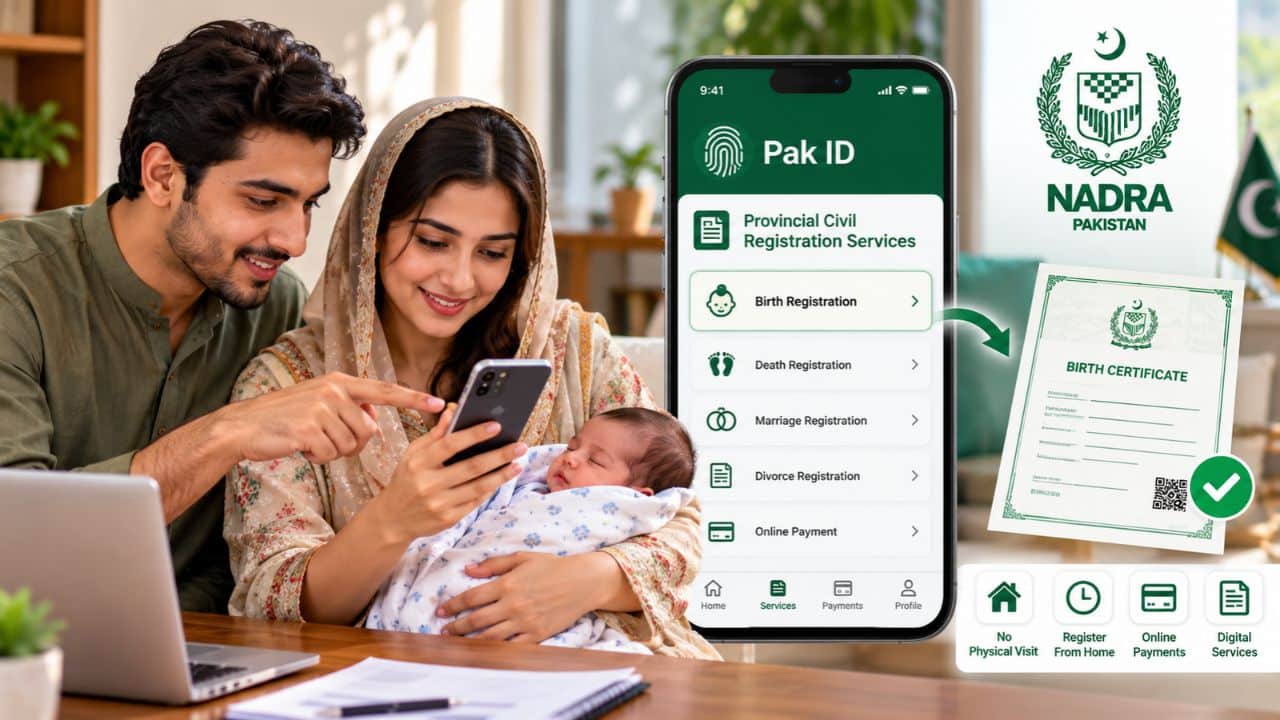
Parents in Pakistan can now register their child's birth with the relevant local authority from home through NADRA's Pak ID mobile application, removing the need to complete the entire process through physical visits.
Article outline
- What happened
- What comes next
- Official response
- The key numbers
- Background
- The bottom line
Key points
- According to NADRA, Pak ID supports online payments through credit and debit cards, Raast, JazzCash, EasyPaisa, and e-Sahulat, subject to the service being applied.
- After logging in, users should open the Provincial Civil Registration Services section.
- Parents should select the relevant district, tehsil, and Union Council or other applicable local authority.
- The app provides a Calculate Fee option before users commence the full application.
- Users should select Start Scan, continue to the scanning process, and capture the required fingers according to the instructions displayed on screen.
Notably, the facility is available through the Provincial Civil Registration Services section of the Pak ID app and connects users with the relevant Union Council, Municipal Committee, Town Committee, or other participating local registration authority.
NADRA officially lists birth registration among the provincial civil registration services available through Pak ID. The app additionally supports online payments and digital document services. How to Apply for PM Youth Chromebook Scheme in Pakistan. Download and Log In to the Pak ID App.
Parents should first download the official Pak ID mobile application on their smartphone.
While existing users can sign in using their registered credentials, new users need to create an account and complete the registration process.
NADRA provides the Pak ID app for both Android and iOS users. The platform allows citizens to access identity and registration services directly from their phones. Open Provincial Civil Registration Services.
They must select the relevant province and then choose Birth from the available civil registration options.
In practice, the app may display children already linked to the applicant's family record. Parents should select the child whose birth they want to register.
If the child does not appear in the list, users can select the option indicating that the child is not listed and continue to the next stage. Select District, Tehsil and Union Council.
Notably, the application will then ask for details relating to the registering authority.
They will additionally have to choose the relevant application category and provide the child's date of birth.
These details support determine which local authority will process the birth registration. Check the Applicable Birth Registration Fee.
Meanwhile, the app provides a Calculate Fee option before users commence the full application.
Parents can select this option to see the amount payable for their application.
In practice, the applicable fee may vary depending on provincial rules and the type or timing of registration. Applicants should rely on the amount calculated by the app for their particular case rather than assuming a fixed nationwide fee. After reviewing the fee, users can select Start Application to continue. Enter the Child's Details. Meanwhile, the next stage asks parents to provide information regarding the child.
If the child's details are already recorded with NADRA, applicants can select Yes and enter the child's B-Form or identity document number. The system will then retrieve available information.
Parents should review the displayed details and provide any extra information requested by the application.
If the child is not already registered in NADRA's records, applicants can select No and manually enter the required information before proceeding. NADRA Clarifies FIR Rule for Lost CNIC Applications. The Pak ID app will then display the Parent Details section.
Applicants must enter the required information regarding the child's parents and produce sure the details match their official identity records.
After completing this section, users can proceed to the extra information required for civil registration. Enter Extra Family and Birth Details.
For context, the application may additionally request further information concerning family members and the circumstances of the birth.
According to NADRA's instructional process, users should complete all fields shown on the screen before moving to the next stage.
Parents should review the information carefully since mistakes can delay verification by the relevant registering authority. Photograph and Biometric Requirements Depend on the Child's Age.
Notably, the Pak ID process applies different identity requirements according to the child's age.
For children under three years of age, fingerprints are not required. While children aged 10 to 18 years require a photograph, fingerprints, and iris data for relevant child identity registration, nADRA's current child-registration rules state that children aged three to 10 years require a photograph and iris data.
In the birth-registration workflow demonstrated by NADRA, the app does not show a child-photo capture option for children below three. While applicants aged above 10 and below 18 are additionally prompted for fingerprint capture, for children over three and under 10, the process requires a photograph.
Users should follow the requirements displayed in the app for the child's age and application type. How to Capture the Child's Photograph. If the application requires a photograph, users should select Capture Photo.
For context, the app allows parents to employ the front or rear camera of their smartphone.
Meanwhile, the child's face should remain inside the guide shown on the camera screen. Parents should create sure the image is clear before confirming and saving it.
NADRA's Pak ID platform supports live photo capture as part of its digital identity services. How to Scan Fingerprints.
If fingerprint verification is required, the app will display the Capture Fingerprints section.
NADRA's biometric policy does not require fingerprints from children below 10 years of age. Applicants should complete every required scan before proceeding. NADRA Warns Overseas Pakistanis Against Fake Agents. Select the Address for the Birth Certificate.
Meanwhile, the app will then ask which address should appear on the child's birth certificate.
Parents can select the available permanent or current address, depending on the information shown in their application.
They should check the selected address carefully since it will form part of the civil registration record. Pay the Birth Registration Fee Online. After completing the required information, users will reach the payment section.
Applicants should complete the payment using one of the available methods and then continue to the next step. Review the Application Before Submission. The app will display a review screen before final submission.
Taken together, the developments around how to Register Your Child's Birth Online Using NADRA Pak ID App point to a situation that is still moving, and the coming days should bring more clarity.